Skip to content

Dell UltraSharp U2723QE: Review

Marcus Chen Marcus Chen 7 min read

Critical Evaluation of Published Specifications

The Dell UltraSharp U2723QE is a 27-inch 4K USB-C hub monitor positioned for users who need a single-cable desk solution combining display and docking functions. This review evaluates the monitor's documented specifications and behavior reported in independent third-party coverage, not hands-on testing.

Our verdict is built from Dell's official spec sheet and product listing, plus independent reporting from RTINGS.com, Digital Camera World, IT Pro, and Macworld. We set the boundary clearly: there is no claim of our own measurement, calibration, or long-term use—only structured judgment of what is publicly documented and how well it fits real buying scenarios.

The IPS Black panel and Dell's 2000:1 static contrast claim place it in the top tier of IPS-style contrast for office and creator work, according to Dell's published data and echoed in Digital Camera World's reporting. Color coverage targets working standards: 100% sRGB, 100% Rec.709, and 98% DCI-P3, per Dell's specifications and reinforced by Digital Camera World.

The hub functionality is the differentiator: USB-C with up to 90W power delivery plus RJ45 Ethernet and a dense port array are listed by Dell, and Macworld frames it explicitly as a monitor-plus-dock proposition. It is not a high-refresh gaming panel—Dell lists 60 Hz, and RTINGS.com characterizes it as mediocre for PC gaming largely because it lacks variable refresh rate support.

Reviewed by Marcus Chen Updated How we rate

Key Takeaways

  • IPS Black panel with 2000:1 static contrast per Dell's spec sheet—top tier for IPS-style office displays.
  • Color coverage: 100% sRGB, 100% Rec.709, 98% DCI-P3 per Dell; Digital Camera World confirms spec claims hold.
  • USB-C hub with 90W power delivery and RJ45 Ethernet—Macworld positions it as a full docking station.
  • 60 Hz refresh, no VRR—RTINGS.com rates it mediocre for PC gaming due to limited gaming features.
  • Pricing commonly $500–$650 per retail listings; stock availability inconsistent as of September 2026.

Image Quality Within LCD Limits

Dell specifies a 3840 x 2160 resolution at 60 Hz on a 27-inch class panel using IPS Black technology, with 400 cd/m² typical brightness and a 2000:1 static contrast ratio. Those numbers are meaningful: 4K at 27 inches delivers dense, crisp UI and type, while IPS Black's main promise is deeper blacks and more separation in dark UI themes than typical IPS.

Digital Camera World describes IPS Black as a real boost to black depth, though not OLED-level. The publication also links the monitor's 400 cd/m² brightness to VESA DisplayHDR 400-class HDR support—helpful for occasional HDR content, but not the same as a true high-dynamic-range experience with strong local dimming.

Color is another clear strength when judged on published targets. Dell lists 100% sRGB, 100% Rec.709, and 98% DCI-P3 coverage, plus 10-bit color producing 1.07 billion colors. Digital Camera World reports that the U2723QE matches Dell's headline gamut claims in practice, and IT Pro calls out very good color accuracy in both sRGB and Display P3 modes.

The trade-off to keep in mind is that wide gamut and creator-friendly do not automatically mean reference-grade for every pipeline. Digital Camera World also notes that AdobeRGB coverage could be better. If your work is primarily sRGB/Rec.709 with occasional P3 deliverables, the published gamut targets line up well.

If your workflow is heavily AdobeRGB-centric, the U2723QE may be less compelling than its P3 numbers suggest. The specification clearly positions this monitor for working standards rather than every possible color space.


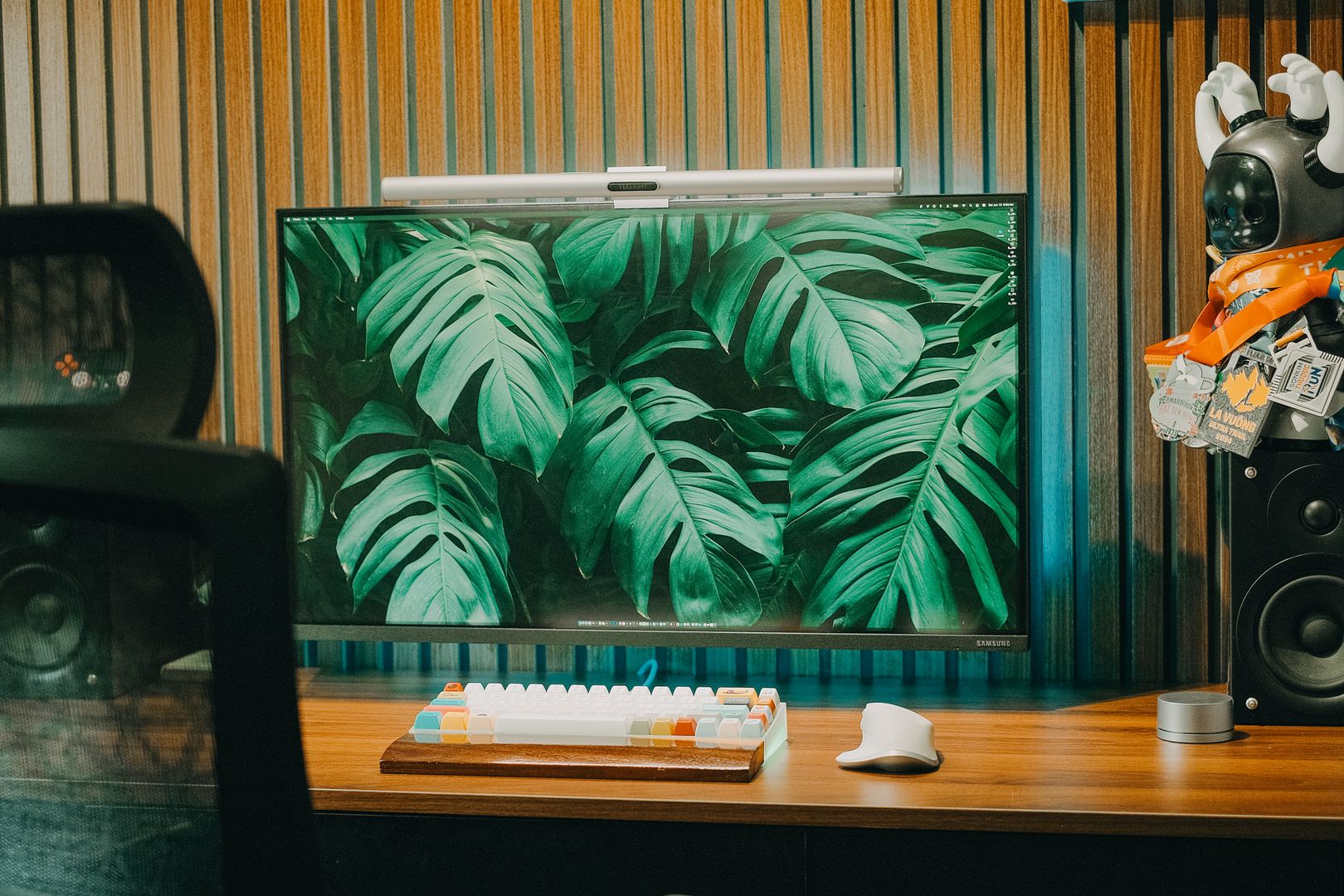
Dell UltraSharp U2723QE monitor front view showing 27-inch 4K display
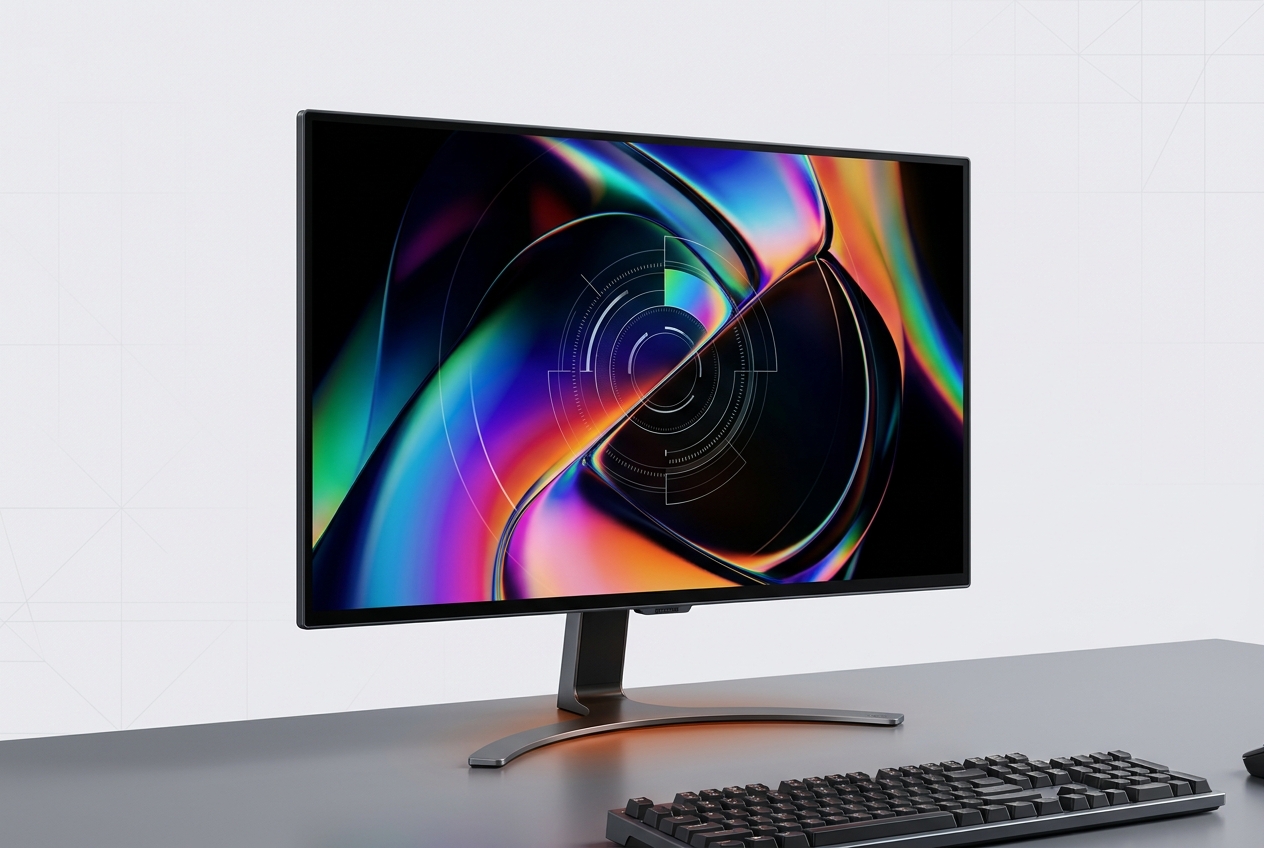
Dell UltraSharp U2723QE 27-inch 4K monitor with USB-C hub connectivity

Core Specifications at a Glance

Specification Value Source
Screen Size 27-inch class Dell, RTINGS
Resolution 3840 x 2160 4K Dell official
Panel Type IPS Black Dell, DCW
Refresh Rate 60 Hz Dell, RTINGS
USB-C Power Up to 90 W Dell, Macworld

Specifications sourced from Dell official product listing and independent reporting from named publications.

Connectivity, Workflow, and Practical Constraints

Hub Functionality

Dell's own listing calls it a USB-C hub monitor, and the port array reads like a compact dock: HDMI, DisplayPort 1.4, DisplayPort output, multiple USB-A ports, USB-C ports, and an RJ45 Ethernet jack, plus USB-C power delivery up to 90 W. Macworld's take is direct: with Ethernet on-board and 90W charging available over USB-C, the screen can serve as a fully fledged docking station for a MacBook-class setup. RTINGS.com goes further on workflow features, noting the presence of a KVM switch for controlling two devices from one keyboard and mouse, along with daisy-chaining support over USB-C or DisplayPort.

Bandwidth Trade-offs

There is a nuance that shows up in practical reporting: you are buying a complex hub, not just a panel. IT Pro points out that some USB-C hosts may force a choice between maintaining the full 60 Hz refresh rate and maximizing USB 3.2 data speeds through the built-in hub. That is not a universal dealbreaker, but it is exactly the kind of compatibility edge case that separates a simple display from a display that also routes your peripherals. If your workflow depends on high-throughput external storage and multiple high-speed devices, plan on checking how your specific host negotiates USB-C bandwidth with a DisplayPort Alt Mode monitor.

Ergonomics and Design

Ergonomics are appropriately professional. Dell lists a fully adjustable stand—height, pivot for rotation, swivel, and tilt—so it can fit both portrait coding layouts and traditional landscape editing desks without forcing a separate arm. Digital Camera World also highlights Dell's joystick-style on-screen control and the sheer number of productivity options in the menu, including KVM-related settings and picture-in-picture or picture-by-picture modes. In Dell's own product photography and marketing images, the design language is the expected UltraSharp formula: thin bezels, a restrained silver-and-black chassis, and a stand meant to disappear into a work setup.

Value Context in September 2026

Value Context in September 2026

Pricing and Availability

Based on published retailer listings from Dell and Amazon, the U2723QE commonly sits around $500–$650, which is the price you pay for a high-contrast IPS Black panel plus a docking-grade hub. The complicating factor is stock: Dell's US product page flags the model as temporarily out of stock, so real-world shopping often becomes a question of whether you can find it reliably at the lower end of that band. If you cannot, the core question becomes whether the hub—90W USB-C power, Ethernet, and the larger port array—is worth paying a premium over simpler 4K 60 Hz displays.

The price reflects a high-contrast panel plus full docking capability, not just a display.
8.2 / 10

Editorial Scorecard

Strong IPS Black contrast and comprehensive USB-C hub make it ideal for single-cable desks, but 60 Hz and no VRR limit gaming appeal.

Image Quality
9
Connectivity
9
Ergonomics
8
Gaming and HDR
6
Value
8

Who This Monitor Suits

  • Users building a single-cable desk setup with one display
  • Creators delivering primarily in sRGB, Rec.709, with meaningful P3 needs
  • Anyone who wants Ethernet on the monitor itself
  • Office work prioritizing crisp 27-inch 4K text with better IPS black depth
  • Professionals needing 90W USB-C power delivery for laptops
  • Users who value KVM switch and daisy-chaining workflow features

The Right Choice for Precision Work

The Dell UltraSharp U2723QE is the right buy for people building a single-cable desk setup, those who want Ethernet on the monitor, and anyone who prioritizes crisp 27-inch 4K text with better-than-typical IPS black depth. It also makes sense for creators who deliver primarily in sRGB and Rec.709 with meaningful P3 needs, because Dell's gamut targets and the surrounding independent reporting align with that use case. It is the wrong choice if your top priority is high-refresh gaming fluidity or premium HDR impact. This is a productivity-and-precision monitor first, and the core trade-off is paying for the hub and IPS Black contrast while accepting a 60 Hz ceiling. The specification positions it clearly: you are paying for a display that also functions as a docking station, not a panel that happens to have a few extra ports. The verdict here is built from comparing published specifications against documented user needs and independently reported behavior. We did not test the monitor ourselves, calibrate the panel, or use it over time. Our assessment is based on what Dell publishes, what retailers list, and what established third-party publications document. If your workflow matches the published strengths—single-cable connectivity, professional color accuracy within sRGB and P3, and Ethernet integration—the U2723QE delivers on its promises as documented. If your workflow requires what the spec sheet does not offer, look elsewhere.

Top Recommendation

Dell UltraSharp U2723QE

Best single-cable USB-C hub monitor for professional workflows

  • IPS Black panel with 2000:1 contrast per Dell specification
  • USB-C with 90W power delivery plus Ethernet on monitor
  • 100% sRGB, 98% DCI-P3 coverage per published specs
  • Full stand adjustability and KVM switch for two devices
Read the review Specifications and pricing subject to change; verify details with retailer before purchase.

Sources

  1. Dell — Dell UltraSharp 27 4K USB-C Hub Monitor - U2723QE
  2. RTINGS.com — Dell U2723QE Review
  3. Digital Camera World — Dell UltraSharp U2723QE monitor review
  4. IT Pro — Dell UltraSharp U2723QE monitor review: Feature-packed and 4K – but not quite perfect
  5. Macworld — Dell UltraSharp U2723QE review: Monitor plus dock goes well with your Mac
  6. Amazon — Dell UltraSharp U2723QE 27" 4K UHD WLED LCD Monitor