Skip to content

BenQ SW272U: Review

Marcus Chen Marcus Chen 5 min read

A Color-Critical 4K Monitor for Photographers

The BenQ SW272U is a 27-inch 4K IPS monitor built for one audience: creators who need wide-gamut color coverage and control over anything that looks flashy on a spec sheet. BenQ positions it as a photographer-focused display, and the public record backs that up—right down to the trade-off that keeps coming up in third-party coverage: it's expensive for a 60 Hz IPS monitor.

The SW272U earns its reputation through color-managed work. BenQ claims 99% Adobe RGB, 100% sRGB, and 99% P3 coverage on its own specification page, and that's the kind of headline that matters when you're soft-proofing stills, building consistent LUT-driven looks, or keeping a mixed-camera pipeline from drifting. PCWorld describes it as a tack-sharp, paper-like 4K monitor, specifically calling it excellent for professional photographers and writers.

The flip side is contrast and HDR realism. BenQ's specs show a 1000:1 native contrast ratio and 400 nits typical brightness, with HDR10 and HLG modes supported. TechRadar notes that while HDR10 and HLG are supported, HDR is extremely limited without local dimming—effectively an SDR-first panel. That's the right mental model: on the SW272U, HDR support is best understood as compatibility for checking how content maps and flags.

From a performance standpoint, the SW272U is deliberately conservative. BenQ lists a 60 Hz refresh rate and 5 ms response time, which is perfectly normal for a color-critical desktop display. But it's also the boundary line for competitive play. For photo editing, layout, and most timeline work, it's a non-issue; for high-refresh gaming priorities, it's simply the wrong product category.

Reviewed by Marcus Chen Updated How we rate

Key Takeaways

  • The SW272U is a 27-inch 4K IPS monitor built for color-managed creation with 99% Adobe RGB and 100% sRGB coverage.
  • HDR10 and HLG exist, but the IPS contrast and lack of local dimming set expectations as an SDR-first panel.
  • USB-C with up to 90 W Power Delivery enables a single-cable desk setup for many USB-C computers.
  • A 60 Hz refresh rate and 5 ms response time is perfectly normal for color-critical work but a constraint for competitive gaming.
  • The real objection is price: common retail listings show $1,499.99 as the going reference point across major public listings.

Specifications and Color Coverage

BenQ's SW272U Specifications page lists a 27-inch, 16:9 screen with 3840x2160 4K UHD resolution, an IPS panel with LED backlight, 60 Hz refresh rate and 5 ms response time, 400 nits typical brightness, 1000:1 native contrast, 10-bit color with 1.07 billion colors, and HDR10 and HLG support, plus USB-C Power Delivery up to 90 W.

Where the BenQ SW272U earns its reputation is simple: it's built around color-managed work. BenQ explicitly claims 99% Adobe RGB and 100% sRGB coverage, and 99% P3, on its own specification page. That's the kind of headline that matters when you're soft-proofing stills, building consistent LUT-driven looks, or trying to keep a mixed-camera pipeline from drifting.

PCWorld's framing is revealing: it calls the SW272U a tack-sharp, paper-like 4K monitor, and even more pointedly summarizes it with the line, this is an excellent monitor for professional photographers and writers. That paper-like language is echoed by Digital Camera World, which highlights the display's anti-reflection approach and describes the aim as simulating the experience of viewing paper.

The flip side is contrast and HDR realism. BenQ's specs are transparent: a 1000:1 native contrast ratio and 400 nits typical brightness, with HDR10 and HLG modes supported. Those numbers read like a solid modern IPS panel, not a cinematic HDR specialist.

TechRadar puts it bluntly in context, noting that while HDR10 and HLG are supported, HDR is extremely limited without local dimming—and it characterizes the monitor as effectively an SDR-first panel.

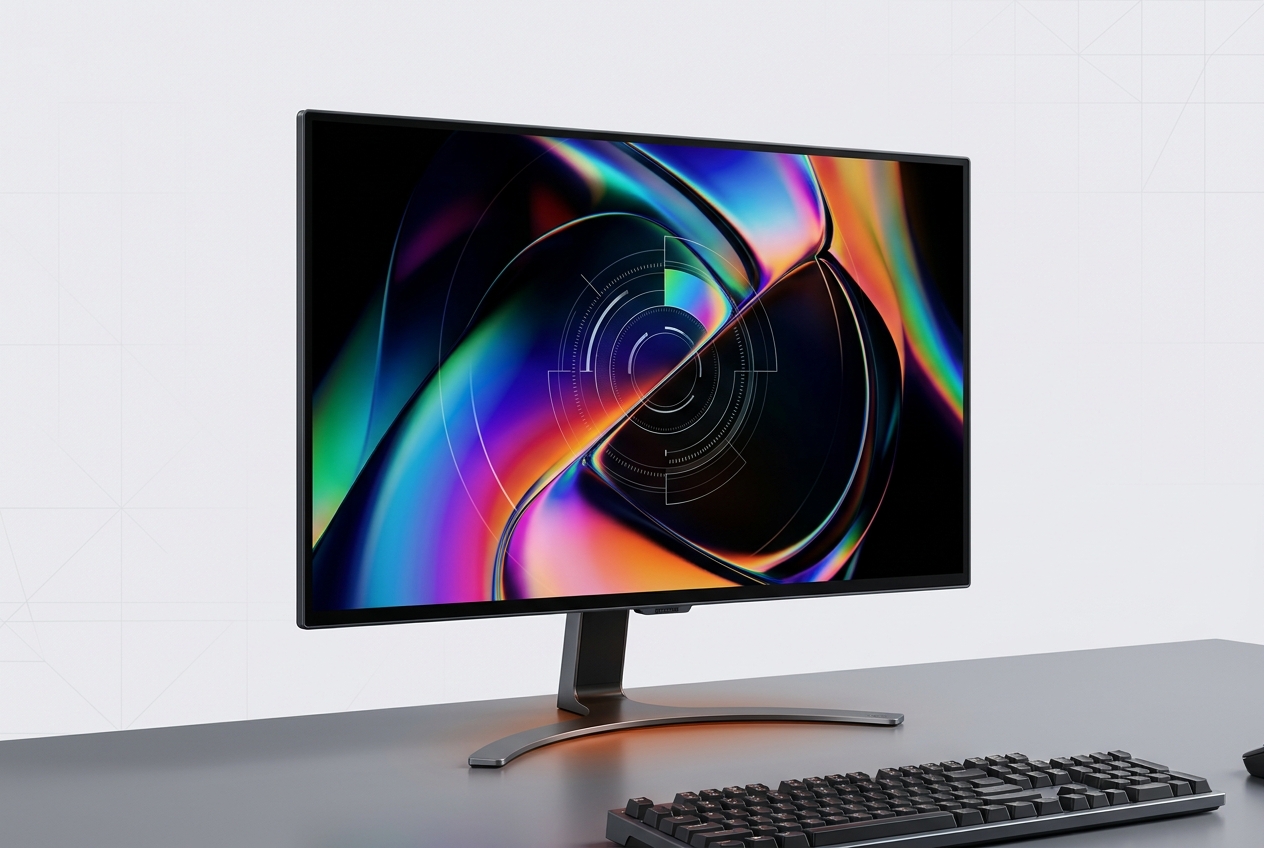
BenQ SW272U 27-inch 4K monitor with color-critical IPS panel and USB-C connectivity
The BenQ SW272U emphasizes color accuracy and paper-like viewing for professional photographers

Core Specifications at a Glance

  • 27-inch IPS panel with 3840x2160 4K UHD resolution
  • 99% Adobe RGB, 100% sRGB, and 99% P3 color gamut coverage
  • 10-bit color depth with 1.07 billion colors
  • HDR10 and HLG support with 400 nits typical brightness
  • 60 Hz refresh rate and 5 ms response time
  • USB-C Power Delivery up to 90 W
  • 1000:1 native contrast ratio
  • Bundled shading hood and Hotkey Puck G3 accessories

Performance and Workflow Integration

How the SW272U fits into a color-managed desk setup and where its conservative specs draw the line

Conservative Performance by Design

From a performance standpoint, especially if you come from a gaming mindset, the SW272U is deliberately conservative. BenQ lists a 60 Hz refresh rate and 5 ms response time, which is perfectly normal for a color-critical desktop display and entirely predictable at this price tier in the creator category.

But it's also the boundary line for competitive play. If your day includes fast camera pans in shooters or latency-sensitive esports, 60 Hz is the constraint you'll feel first.

Workflow is the other pillar where the SW272U makes sense on paper. BenQ lists USB-C with Power Delivery up to 90 W, which enables a single-cable desk setup for many USB-C computers—cleaner cabling, fewer power bricks, and a more straightforward dock-like routine.

BenQ also lists a bundled shading hood and the Hotkey Puck G3 in its official accessories section, and Digital Camera World specifically calls out the Hotkey Puck's role for switching color spaces and controlling settings, while also questioning how essential it is if you tend to live in one mode.

That's a fair critique: the strongest argument for the puck isn't that it changes what the panel can do, but that it reduces friction when you regularly bounce between working spaces.

Single-Cable USB-C Desk Setup

Single-Cable USB-C Desk Setup

Workflow Integration

BenQ lists USB-C with Power Delivery up to 90 W, which enables a single-cable desk setup for many USB-C computers. That means cleaner cabling, fewer power bricks, and a more straightforward dock-like routine for creators who value a streamlined workspace alongside color-managed accuracy.

The strongest argument for the puck isn't that it changes what the panel can do, but that it reduces friction when you regularly bounce between working spaces.

Who Should Choose the SW272U

Color-Managed Creation

Choose the BenQ SW272U if your work genuinely benefits from wide-gamut coverage and disciplined color workflows. The advertised gamut—99% Adobe RGB, 100% sRGB, 99% P3—is its main differentiator. PCWorld calls it excellent for professional photographers and writers, and Digital Camera World highlights the paper-like viewing experience that matters when making critical judgments under controlled lighting. If you're soft-proofing stills, building consistent LUT-driven looks, or keeping a mixed-camera pipeline from drifting, the SW272U delivers the color space control that justifies its position in the creator category.

4K Detail and Convenience

The 27-inch 4K resolution provides the detail needed for pixel-level editing without scaling compromises, and the USB-C Power Delivery up to 90 W is the practical desk win that simplifies your setup. The bundled shading hood and Hotkey Puck G3 reduce friction when switching between working spaces. If you value creator-oriented convenience features alongside wide-gamut accuracy, and you want a display that fits into a single-cable USB-C workflow, the SW272U packages those priorities at a known price point.

Skip It For These Priorities

Skip the SW272U if you're trying to maximize motion performance for competitive gaming—60 Hz and 5 ms response time is the boundary line for fast-paced play. Skip it if HDR mastering is a primary requirement, since the IPS contrast and lack of local dimming make it effectively an SDR-first panel. And skip it if you simply don't have a workflow that can justify paying $1,499.99 for accuracy-first priorities. The SW272U is purpose-built, and it's priced like it knows exactly who it's for.

Bottom Line

Purpose-Built and Priced Accordingly

The BenQ SW272U is a 27-inch 4K IPS monitor built for color-managed creation. The verdict is straightforward: choose it if your work genuinely benefits from wide-gamut coverage, you want 4K detail at 27 inches, and you value the creator-oriented convenience features BenQ packages with it. Skip it if you're trying to maximize motion performance, if HDR mastering is primary, or if you simply don't have a workflow that can justify paying $1,499.99 for accuracy-first priorities.

Value and Pricing Context

Value is where the SW272U becomes hard to recommend casually, and where third-party reviewers are unusually aligned. PCWorld lists the price when reviewed as $1,499.99 and warns that the extremely high price limits who should consider it. Digital Camera World's own verdict sections repeatedly circle back to price being hard to justify. For current-market reality, B&H Photo Video listed the BenQ PhotoVue SW272U 27-inch 4K HDR Monitor at $1,499.99 on its product page when crawled, and AppleInsider's pricing tracker also showed $1,499.99 as of August 7, 2026. In other words: by September 2026, $1,499.99 is not a one-off number—it's the going reference point across major public listings, and it's the core trade-off you're accepting. Five takeaways that capture the purchase decision: it's a 27-inch 4K IPS monitor built for color-managed creation; the advertised gamut is its main differentiator; HDR10 and HLG exist, but the IPS contrast and lack of local dimming set expectations; USB-C with up to 90 W Power Delivery is the practical desk win; the real objection is price, not missing basics. Choose it if your work genuinely benefits from wide-gamut coverage and disciplined color workflows, you want 4K detail at 27 inches, and you value the creator-oriented convenience features BenQ packages with it. Skip it if you're trying to maximize motion performance for competitive gaming, if HDR mastering is a primary requirement, or if you simply don't have a workflow that can justify paying $1,499.99 for accuracy-first priorities.

Marcus Chen

Marcus Chen

Monitor Review Editor

Marcus specializes in gaming monitor reviews, comparing refresh rates, response times and panel technologies through detailed analysis of published specifications and independent testing reports.

Sources

  1. BenQ — SW272U Specifications | BenQ US
  2. BenQ — SW272U│27-inch 4K Adobe RGB 90W USB Type-C Photographer Monitor | BenQ US
  3. PCWorld — BenQ SW272U review: A tack-sharp, paper-like 4K monitor | PCWorld
  4. TechRadar — BenQ PhotoVue SW272U review | TechRadar
  5. Digital Camera World — BenQ SW272U monitor review | Digital Camera World
  6. B&H Photo Video — BenQ PhotoVue SW272U 27" 4K HDR Monitor SW272U B&H Photo Video