Skip to content

Best 4K Gaming Monitors

Marcus Chen Marcus Chen 8 min read

Choosing a 4K Gaming Monitor in 2026

Buying great 4K monitors for gaming in September 2026 is less about "4K" and more about choosing the right panel tech and signal path for the frame rates you actually intend to drive. This ranked review is built from publicly available manufacturer specifications, product documentation, and independent public reporting—not hands-on use. The goal is to identify which models make the cleanest trade-offs for a modern 4K gaming display.

At a glance, these are the five monitors that earn a shortlist on paper: LG's UltraGear 32GS95UE-B as the most flexible all-rounder; ASUS ROG's PG32UCDM as the most color-serious flat QD-OLED option; GIGABYTE's AORUS FO32U2P as the "future-proof the cable" pick via DisplayPort 2.1 UHBR20; ASUS ROG's Strix XG32UQ as the best mainstream LCD alternative when you want high refresh without OLED care; and ASUS's PG42UQ for people who specifically want large 4K computer monitors on a desk and are willing to set up the room around them.

First criterion: motion clarity and the "4K high-refresh" reality. A 4K PC monitor gaming setup at 144–240 Hz isn't just a panel decision; it's a bandwidth decision. ASUS ROG explicitly calls out DisplayPort 1.4 with Display Stream Compression (DSC) and HDMI 2.1 on the PG32UCDM, which is exactly the connectivity profile you expect in the current crop of 4K/240-class panels. Those statements matter because they define the ceiling: your GPU and cable chain has to match the monitor's best-case marketing.

Second criterion: panel technology and HDR, where "IPS LCD vs OLED" is the decision that changes how games feel. OLED's advantage is per-pixel lighting: black levels and small highlights can look dramatically more convincing than even good LCD local dimming. Manufacturers increasingly pair that with VESA's DisplayHDR True Black certifications. LCD's counterpunch is sustained full-screen brightness and the lack of burn-in risk.


Reviewed by Marcus Chen Updated How we rate

Key Takeaways

  • LG UltraGear 32GS95UE-B offers Dual Mode: 4K/240Hz or Full HD/480Hz on one panel.
  • ASUS ROG PG32UCDM delivers QD-OLED color accuracy and creator-friendly connectivity with 90W USB-C.
  • GIGABYTE AORUS FO32U2P is the first OLED with DisplayPort 2.1 UHBR20 for uncompressed 4K/240Hz.
  • ASUS ROG Strix XG32UQ remains the best Fast IPS LCD alternative with 160Hz and no burn-in risk.
  • ASUS ROG PG42UQ brings 42-inch OLED immersion for desk setups with space and careful viewing distance.

Top Five 4K Gaming Monitors Ranked

These five monitors represent the cleanest trade-offs for 4K gaming in September 2026, ranked by flexibility, image quality, connectivity, and practical use cases.

LG UltraGear 32GS95UE-B

LG UltraGear 32GS95UE-B

Best Overall

LG's 32-inch OLED with Dual Mode flexibility: 4K/240Hz for cinematic gaming or Full HD/480Hz for ultra-high-refresh competitive play. Features DisplayHDR True Black 400 and 0.03ms response time.

9.2/10
Editorial score
  • Dual Mode covers two gaming patterns on one panel
  • NVIDIA G-SYNC and AMD FreeSync Premium Pro support
  • height/tilt/pivot adjustable stand
  • Pixel Sound feature.
  • OLED care required
  • automatic brightness behavior can affect static UI
  • not ideal for all-day non-gaming work.
ASUS ROG PG32UCDM

ASUS ROG PG32UCDM

Best QD-OLED

Includes USB-C with 90W Power Delivery for creator workflows.

9.0/10
Editorial score
  • Creator-grade color accuracy
  • DisplayPort 1.4, HDMI 2.1, and USB-C connectivity
  • custom heatsink and graphene film for thermal management
  • suitable for both gaming and color-critical work.
  • Premium pricing for feature-rich QD-OLED
  • OLED care still necessary
  • not a value purchase.
GIGABYTE AORUS FO32U2P

GIGABYTE AORUS FO32U2P

Best Connectivity

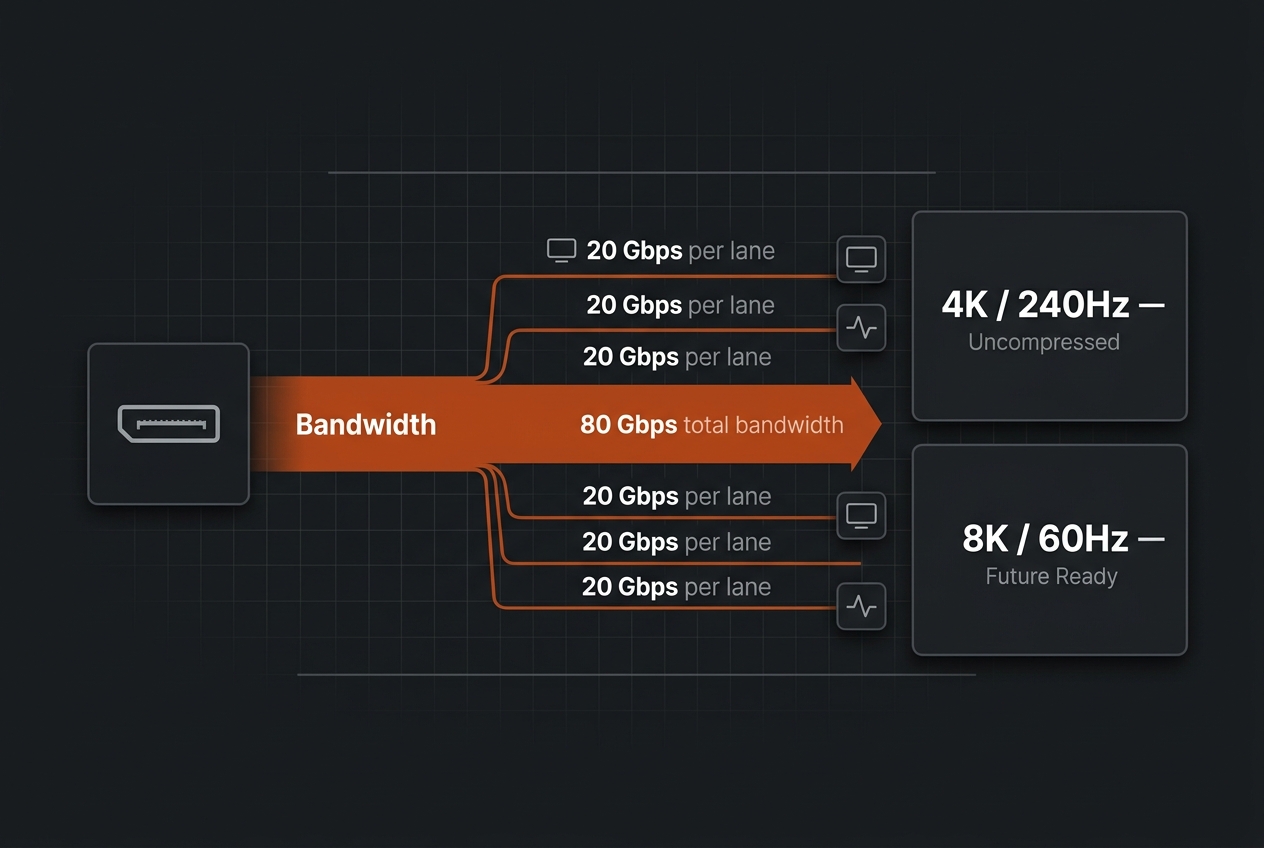
The world's first OLED gaming monitor with DisplayPort 2.1 UHBR20, offering 80 Gbps bandwidth for uncompressed 4K/240Hz without DSC and headroom for 8K/60Hz.

8.8/10
Editorial score
  • DisplayPort 2.1 UHBR20 eliminates DSC for 4K/240Hz
  • future-proof bandwidth for next-gen GPUs
  • QD-OLED panel quality.
  • DP 2.1 usefulness depends on graphics card support
  • shoppers should verify exact port mix and firmware for their region.
ASUS ROG Strix XG32UQ

ASUS ROG Strix XG32UQ

Best LCD

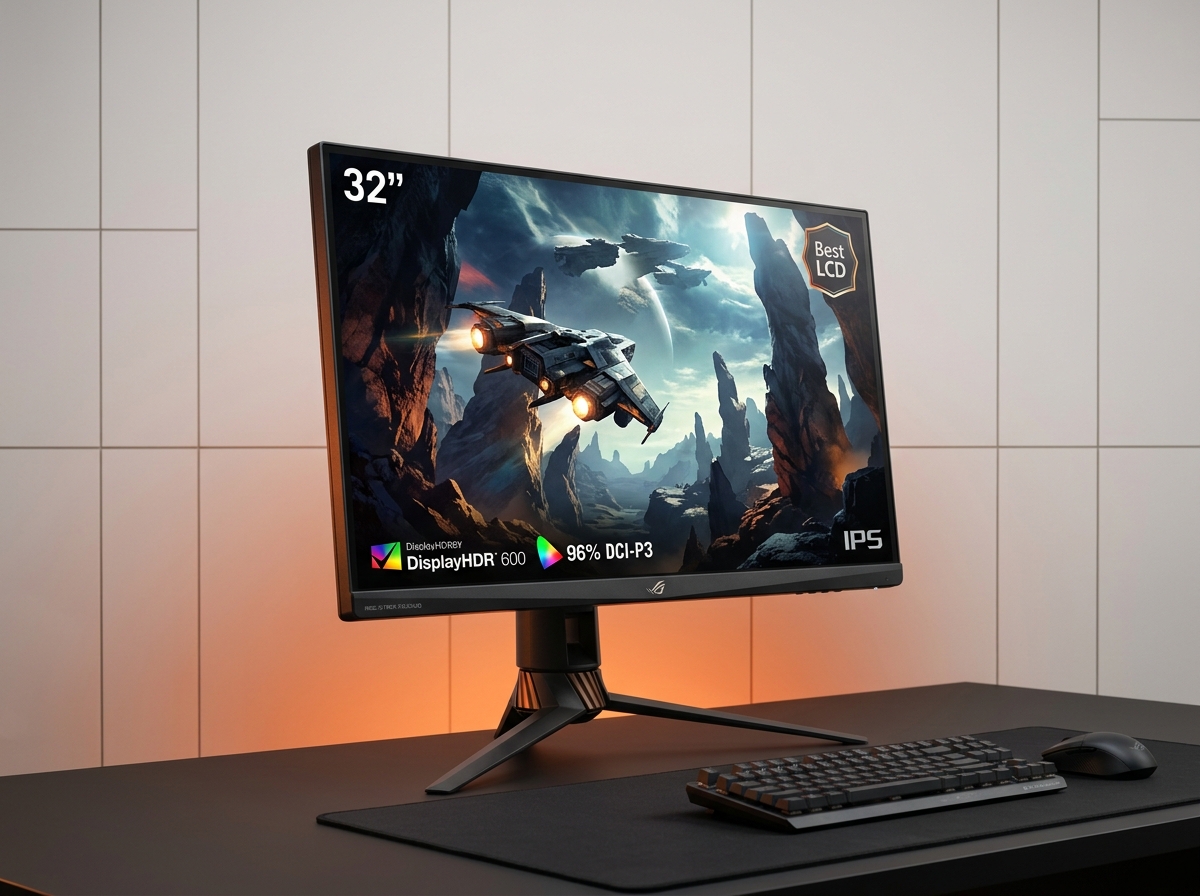
A 32-inch 4K Fast IPS monitor with 160Hz refresh, 1ms GTG response, DisplayHDR 600, and 96% DCI-P3 coverage. Native 4K 120Hz on PlayStation 5 and Xbox Series X via HDMI 2.1.

8.5/10
Editorial score
  • No OLED burn-in anxiety for static work
  • still-serious refresh rates
  • HDMI 2.1 support for consoles
  • peace of mind for all-day use.
  • IPS contrast doesn't deliver OLED-style blacks
  • HDR tends to look more like brighter SDR on IPS panels.
ASUS ROG PG42UQ

ASUS ROG PG42UQ

Best Large-Screen

A 42-inch OLED desk monitor with HDMI 2.1 and refresh support up to 138Hz. Delivers wall-of-pixels immersion for spacious desk setups but requires careful viewing distance and OLED-friendly habits.

8.3/10
Editorial score
  • Immersive large-screen experience for cinematic gaming
  • OLED response time
  • DisplayPort 1.4 and HDMI 2.1 connectivity
  • suitable for users who sit far enough back.
  • No height adjustment on the stand
  • demands significant desk space
  • OLED care required
  • ergonomics need room planning.
Technical diagram showing DisplayPort 2.1 UHBR20 bandwidth capabilities for gaming monitors
DisplayPort 2.1 UHBR20 enables uncompressed 4K/240Hz and future 8K support

Understanding Panel Technology and HDR

For example, the PG32UCDM is listed by ASUS ROG as VESA DisplayHDR 400 True Black compliant; LG lists DisplayHDR True Black 400 for the 32GS95UE-B.

VESA's own DisplayHDR CTS 1.2 performance criteria spell out what these badges aim to enforce—minimum luminance targets, black-level thresholds including the True Black 0.0005 cd/m² requirement, and gamut requirements—so the sticker isn't just vibes. VESA announced DisplayHDR True Black 1400 on July 8, 2026 as a new flagship tier for next-generation OLED displays.

One practical warning to keep in mind: OLED gaming monitors are improving at heat management and burn-in mitigation. ASUS ROG explicitly calls out a custom heatsink and graphene film on the PG32UCDM, and LG emphasizes OLED response and gaming-focused tuning on the 32GS95UE-B. However, no spec page can promise you'll never see retention. If your workday is full of fixed UI, a strong IPS LCD option can be the higher-confidence purchase even if it's less dramatic in dark scenes.

LG 32GS95UE-B Specifications

Panel Size 32 inches
Resolution 3840×2160 (4K)
Refresh Rate 240 Hz (4K) / 480 Hz (FHD)
Response Time 0.03 ms (GtG)
Contrast Ratio 1.5M:1
HDR Standard DisplayHDR True Black 400
VRR Support G-SYNC / FreeSync Premium Pro
Stand Adjustment Height / Tilt / Pivot
Panel Type OLED
Connectivity DP 1.4 / HDMI 2.1

Specifications as described in this review based on manufacturer documentation

Samsung Odyssey Neo G8 Mini-LED Option

Samsung Odyssey Neo G8 Mini-LED Option

Alternative Pick

One strong alternative worth naming if you prioritize mini-LED HDR punch over OLED blacks is Samsung's Odyssey Neo G8. Samsung's U.S. product page positions it as a 32-inch 4K/240Hz curved display with HDR 2000. On September 21, 2026 Samsung listed a price of $1,299.99. Independent reporting from RTINGS.com describes it as a 4K, 240Hz monitor with Mini LED backlighting and HDMI 2.1 bandwidth, while also flagging issues such as noticeable VRR flicker—exactly the kind of spec-sheet win, real-world quirk that keeps it out of an across-the-board top five.

Samsung Odyssey Neo G8 delivers Mini LED HDR 2000 but shows noticeable VRR flicker in practice.

Choosing Your Best Fit

Competitive Shooters

If your main game is competitive shooters and you'll actually use a 480 Hz mode, the LG 32GS95UE-B is the most targeted fit. Its Dual Mode capability serves two very different gaming patterns—cinematic 4K for spectacle and 1080p/480 for speed—without forcing a second monitor. The quoted 0.03 ms response time and support for both NVIDIA G-SYNC compatibility and AMD FreeSync Premium Pro make it ideal for fast-paced esports play. The main trade-off is OLED ownership behavior: you're buying into OLED care and some automatic brightness behavior.

Color-Accurate Work

If you care about a cleaner desktop-and-editing crossover with explicit wide-gamut and Delta E language, the ASUS ROG PG32UCDM is the tighter match. Its 99% DCI-P3 coverage, true 10-bit color, Delta E < 2 claim, and 90W Power Delivery USB-C make it suitable for both high-end gaming and color-critical side work. The upside is a spec profile that makes sense for content creation workflows; the downside is that a feature-rich QD-OLED in this class is rarely a value purchase, and you still need to treat it like an OLED.

Future-Proof Connectivity

If your buying logic starts with "I want DisplayPort 2.1 UHBR20," the GIGABYTE AORUS FO32U2P is the obvious anchor. With 80 Gbps bandwidth, it supports uncompressed 4K/240 Hz without DSC and even headroom for 8K/60 Hz. This is the cleanest cable-standard bet for next-gen GPUs. The trade-off is straightforward: DP 2.1 UHBR20 usefulness depends on your graphics card support, and shoppers should double-check the exact port mix and firmware behavior on the region-specific datasheet before committing.

Marcus Chen

Marcus Chen

Technology Reviewer

Marcus specializes in gaming monitor reviews, comparing refresh rates, response times and panel technologies through detailed analysis of published specifications and independent testing reports.

Sources

  1. LG — 32-Inch UltraGear™ OLED Gaming Monitor - 32GS95UE-B | LG USA
  2. ASUS ROG — ROG Swift OLED PG32UCDM | Monitors | ROG USA
  3. GIGABYTE — AORUS FO32U2P - GIGABYTE Global
  4. ASUS ROG — ROG Strix XG32UQ | Monitors | ROG United States
  5. ASUS ROG — ROG Swift OLED PG42UQ | Above 34 Inches | Gaming Monitors|ROG - Republic of Gamers|ROG Global (Tech Specs)
  6. ASUS — ASUS_PG42UQ_English.pdf